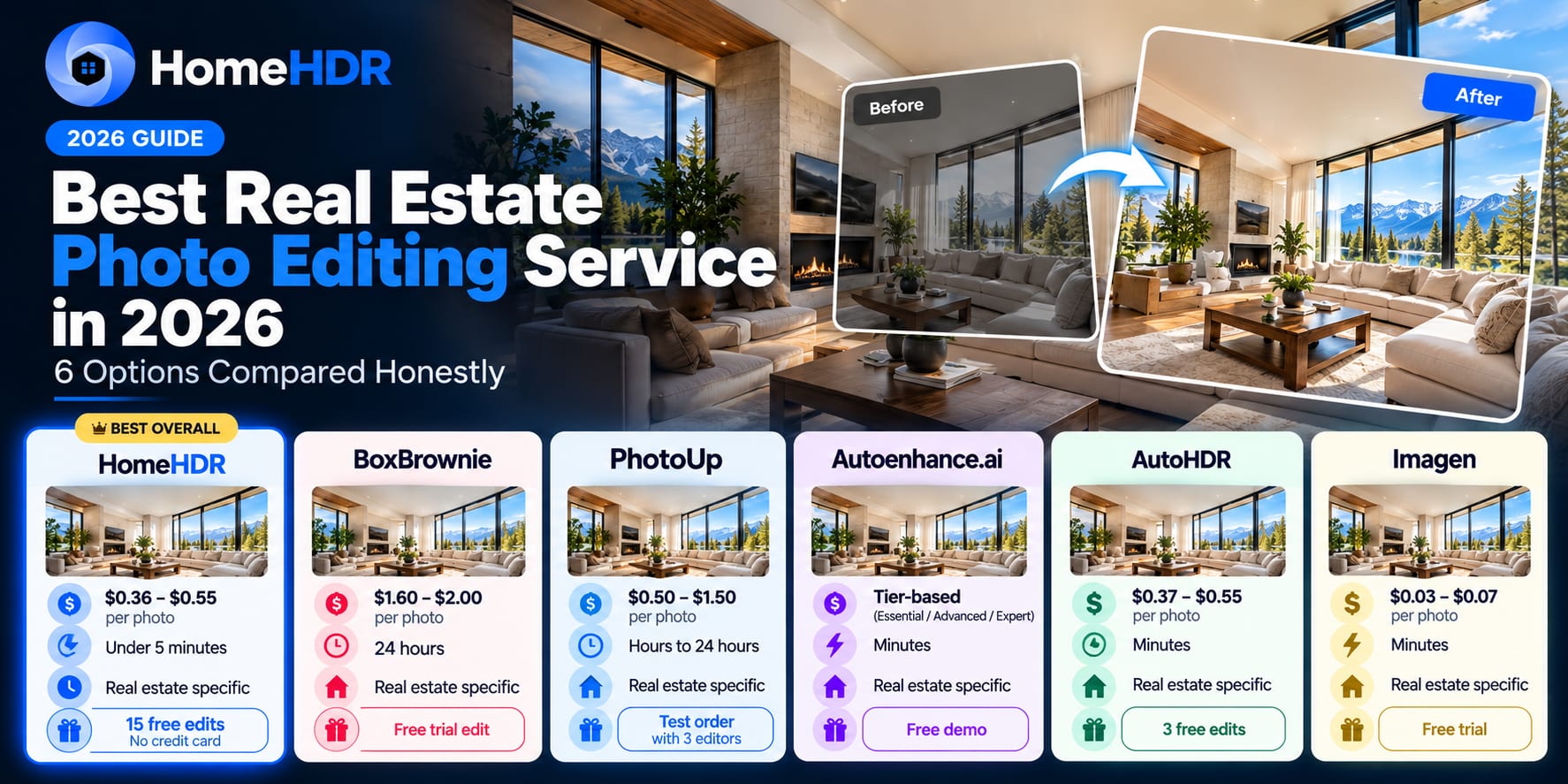
Quick answer: There is no single "best" real estate photo editing service in 2026. There is a best one for your workflow, your volume, and your price point. HomeHDR wins on speed (under 5 minutes) and price ($0.36 to $0.55 a photo) with a triple guarantee no competitor matches. BoxBrownie still owns the manual editing gold standard for luxury and complex work at $2 a photo and 24-hour turnaround. PhotoUp leads on dedicated-editor style consistency at $0.50 to $1.50 a photo. Autoenhance.ai is the API-first pick for developer or enterprise workflows. AutoHDR is a solid HDR specialist for the technical photographer. Imagen is the cheapest option at $0.03 to $0.07 a photo if you already live in Lightroom Classic and want AI trained on your personal style. This guide compares all six honestly: pricing, real turnaround, what each one is best for, and where each has limits.
You have probably already tried one or two of these. Maybe you are a working photographer on BoxBrownie who is tired of the 24-hour wait when the agent needs photos by 8am. Maybe you are on PhotoUp with a dedicated editor and wondering whether AI could handle your bracket-set volume for less. Maybe you saw an ad for Autoenhance and you are wondering if the API integration matters for a one-person shop.
The market has genuinely changed in the last 18 months. 82% of working real estate photographers now use an AI tool somewhere in their workflow, and the debate about "AI vs. human editing" has quietly shifted into "which AI, and where in the workflow." What follows is the honest, photographer to photographer comparison of the six services that actually matter in 2026: no handicapped tables, no competitor takedowns, real strengths and real limits.
How we evaluated these services
Every service in this comparison was scored against five criteria that match how photographers actually pick a tool:
- Per-image cost: the number that lands in your P&L. Checked against each service's current pricing page.
- Turnaround time: from upload to MLS-ready JPEG. This matters most for photographers with next-morning agent commitments.
- Feature depth for real estate: HDR merge, window pull, sky replacement, TV cleanup, perspective, virtual staging. Real estate tools beat generic photo enhancers.
- Workflow fit: how the service fits your existing shoot, edit and deliver pipeline. Lightroom users, cloud batch users and API-integrated shops have different needs.
- Guarantees, revisions and support: the safety net for when an edit does not land right. This matters more than most photographers realise until they need it.
HomeHDR is our product, so we are grading it in the open, with the same rigour we apply to every other service. Where a competitor wins on a criterion, we say so plainly.
The 6 services compared at a glance
| Service | Type | Per-image price | Turnaround | Real estate specific | Free trial | Best for |
|---|---|---|---|---|---|---|
| HomeHDR | AI | $0.36 to $0.55 | Under 5 min | Yes, dedicated | 15 edits, no card | Volume photographers who need speed, cost and guarantees |
| BoxBrownie | Manual (editors) | $1.60 to $2.00 base, $30 virtual staging | 24 hours | Yes | Free trial edit | Luxury listings, hero shots, complex work |
| PhotoUp | Manual (dedicated editors) or on demand | $0.50 to $1.50 | Hours to 24 hours | Yes | Test order with 3 editors | Photographers wanting a consistent editor style over time |
| Autoenhance.ai | AI | Tier-based (Essential, Advanced, Expert) | Minutes | Yes | Free demo | Developer and enterprise pipelines needing API integration |
| AutoHDR | AI | $0.37 to $0.55 (pay as you go) or $265+ a month | 20 to 30 min | Yes | 10 photos a month | Technical photographers focused on HDR and flambient |
| Imagen | AI | $0.03 to $0.07 | Minutes | Partial (general photography focus) | Free trial | Lightroom Classic users who want AI trained on their personal style |
1. HomeHDR: AI first, fastest turnaround, and a triple guarantee
Position: the fastest AI real estate editor, with features built for property work and the most photographer-friendly guarantees on the market in 2026.
Pricing:
- Free: 15 edits, no credit card, one time
- Pay as you go: $0.55 a photo (20-photo minimum)
- Pro: $22 a month billed annually (50 photos a month, $0.44 each)
- Enterprise: from $722 a month billed annually (2,000 photos a month, $0.361 each)
Turnaround: under 5 minutes per photo, on average. Batch uploads are grouped into bracket sets automatically from the EXIF timestamps, so there is no folder sorting to do first.
Real estate features: HDR merge (3 to 8 brackets), sky replacement, window pull, TV screen blackout, fire in the fireplace, perspective correction, sensitive-info blur, virtual twilight and grass greening, plus a Magic Eraser brush for clutter. Paid plans deliver full resolution with no watermark.
Where it wins:
- Speed. Under 5 minutes is the fastest turnaround in the category by a wide margin.
- Price at volume. At $0.361 a photo on Enterprise annual, HomeHDR is 3 to 5 times cheaper than BoxBrownie and roughly half PhotoUp's on-demand rate.
- Triple guarantee. 60-day money back, a double refund if you do not save 10 hours in your first month, and unlimited free re-renders on any photo you are not happy with. No other service in this list matches it.
- Automatic bracket grouping. Drag in a whole card's contents and HomeHDR sorts the bracket sets for you.
- Re-editing is free. A photo is charged once, at its first render. Every re-render, tweak or variant after that costs nothing.
Where it has limits:
- Not the right tool for a $5M listing's hero shot. A master flambient editor still wins on top-of-market work where every window pull and every corner gradient has to be perfect. HomeHDR is built for the routine 80% to 90% of the gallery, not for that one hero shot.
- AI only. If you want a human editor to review every image before delivery, HomeHDR is not the model. BoxBrownie or PhotoUp are.
- No personal style profile (yet). Imagen learns your Lightroom preferences over time. HomeHDR delivers a consistent professional standard instead. Different philosophies.
Best for: working photographers running 2 to 10 listings a week who need MLS-ready delivery by next morning, want to keep more of the margin, and like a guarantee that puts the risk on the tool rather than on them.
2. BoxBrownie: the human editor gold standard for complex and luxury work
Position: the market-leading manual editing service, staffed by real editors and priced accordingly. Still the right answer for a specific kind of work.
Pricing:
- Image enhancement: $1.60 to $2.00 a photo
- Day to dusk: $5 a photo
- Item removal: from $5 a photo
- Virtual staging: $30 a photo
- Floor plans, 3D renders and virtual renovations at separate rates
Turnaround: 24 hours standard for image enhancement and day to dusk. 48 hours for virtual staging and complex composites.
Where it wins:
- Manual quality on complex scenes. Sky replacement around a dense tree line, a twilight conversion on a demanding scene, or a virtual staging job that has to match a specific interior design brief. A human editor still beats every AI on the market for these.
- Unlimited free revisions. If the edit is not right, you send it back at no extra charge. A genuine differentiator against services that charge per re-render.
- Depth of service. Beyond enhancement, BoxBrownie offers virtual renovations, 3D renders and full listing packages that AI-first services cannot touch.
Where it has limits:
- Turnaround. 24 hours is a long time when the agent wants photos by 8am and the shoot ended at 6pm.
- Cost at volume. At $2 a photo for basic enhancement, a 30-photo listing runs $60. That math gets ugly fast on a high-volume week.
- No AI-native workflow. If your business is 100 shoots a month and you want batch, next-shoot-ready delivery, BoxBrownie's manual model was not built for that.
Best for: photographers doing 2 to 5 shoots a week on luxury or design-focused listings, where every hero shot has to be perfected by hand and the job is priced to cover it.
3. PhotoUp: dedicated editors, style consistency, US support
Position: the middle ground. Human editors like BoxBrownie, but with a dedicated-editor model that lets you train one person to your style over time.
Pricing:
- On-demand editing: $1.50 an image
- Dedicated editor: $0.50 to $1.00 an image on average ($0.72 average across the platform)
- Dedicated editor hourly: from $7.94 an hour
- Volume: a dedicated editor typically delivers 1,500 to 1,800 edits a month
Turnaround: hours for dedicated-editor work, since the editor is essentially working only for you. 24 hours for on demand.
Where it wins:
- Style consistency over time. Because you work with the same editor, your delivery style compounds: the editor learns your preferences and applies them automatically. That is genuinely hard to replicate with pure AI.
- US-based support. For photographers who have had bad experiences with overseas outsourcing (slow replies, unclear revisions), PhotoUp's US team is a real differentiator.
- Test-order model. Your first test order is edited by three candidate editors and you pick your favourite before committing. That lowers the switching risk.
Where it has limits:
- Ramp time. A dedicated editor is at their most valuable after 60 to 90 days with your photos. In month one, you are training them.
- Still slower than AI. Even a dedicated editor works in hours, not minutes. If your business runs on same-evening delivery, that is a fit issue.
- Volume ceiling per editor. 1,500 to 1,800 images a month is a hard cap on one person. Above that you need a second editor.
Best for: photographers doing 30 to 100 shoots a month who value editor-trained consistency over speed and prefer a human in the loop.
4. Autoenhance.ai: the API-first developer and enterprise play
Position: built to plug directly into someone else's software or pipeline. If you are a marketplace, a listing platform, or a photography business with an engineering team, this is the pick.
Pricing:
- Three subscription tiers: Essential (50 to 250 images a month), Advanced (250 to 1,500 images a month, 4K delivery), Expert (1,500 to 10,000 images a month, 6K delivery)
- Pricing last updated on their site in August 2026
- Web app and API both available
Turnaround: minutes on the Expert tier. The slower tiers are still fast next to manual editing.
Where it wins:
- API-first integration. Autoenhance is built as a plug-in service. A listing platform or marketplace can drop it into its post-production pipeline without ever exposing it to end users.
- 6K output on Expert. For very large properties or archival delivery, 6K is a real technical advantage.
- A real estate feature set. HDR fixes, sky replacement and colour correction, all tuned for property work.
Where it has limits:
- Not designed around a solo photographer. The web app works, but the product's centre of gravity is the API. If you are not integrating it into something else, some of the value is off the table.
- Tier pricing at the low end. Under 50 images a month, the entry tier can cost more than a pay-per-photo service.
- Less depth on the premium edits (fire in the fireplace, virtual twilight) than a real-estate-first product like HomeHDR or BoxBrownie.
Best for: software companies building a real estate product, listing platforms, and larger media companies with the engineers to embed an API.
5. AutoHDR: the technical photographer's HDR and flambient specialist
Position: a solid AI HDR editor with a following in the photographer community. Close to HomeHDR on the essentials, with a slower turnaround and a different pricing model.
Pricing:
- Free plan: 10 photos a month
- Additional credits: $0.80 each
- Standard: $265 a month (includes Auto TVs and Fire in Fireplace)
- Enterprise: $960 a month
- Pay as you go: $0.37 to $0.55 an image
Turnaround: 20 to 30 minutes per photo.
Where it wins:
- Feature breadth. HDR, flambient-style editing, day to dusk, grass greening, item removal and virtual staging, all in one place.
- Pay-per-photo pricing ($0.37 to $0.55) in the same range as HomeHDR.
- A long-standing reputation. AutoHDR was one of the earliest AI HDR services for real estate and has a loyal community following.
Where it has limits:
- Turnaround. 20 to 30 minutes against HomeHDR's under 5. On a next-morning deadline, that difference stacks up across a 30-photo gallery.
- Monthly plans start high. Standard is $265 a month and Enterprise $960. A photographer above the free tier but below the Standard threshold is left on pay per download, at the same price as HomeHDR's pay as you go.
- No equivalent to the triple guarantee. Standard refund terms only.
Best for: technical photographers already deep in the AutoHDR workflow, or those who specifically value its community and track record.
6. Imagen: the cheapest AI, trained on your personal Lightroom style
Position: a general AI photography tool, not a real estate one, that learns your editing preferences from your Lightroom catalog and applies them consistently.
Pricing:
- $0.03 to $0.07 an image. Substantially cheaper than every other option in this list.
- A personal AI profile trained on your Lightroom catalog
Turnaround: minutes.
Where it wins:
- Price. At $0.03 to $0.07, Imagen is 5 to 10 times cheaper than HomeHDR and 25 to 50 times cheaper than BoxBrownie. If per-image cost is your top constraint, this wins.
- Lightroom Classic integration. A direct plug-in to the workflow most working photographers already use.
- Personal style. The AI learns from your Lightroom catalog, so its output matches your preferences more closely over time.
- AI culling. It shortlists the best shots from a batch automatically, a real value-add on volume shoots.
Where it has limits:
- Not built for real estate. Imagen is a general photography tool. Real estate features like strong window pulls, TV screen blackout, fire in the fireplace and virtual twilight are limited or absent.
- Needs a Lightroom catalog. If you do not work in Lightroom Classic, the personalisation advantage disappears.
- No human safety net. Pure AI, with no editor in the loop for complex edits.
Best for: working photographers who already live in Lightroom Classic, want AI editing trained on their exact style, and shoot a mix of real estate and other work where a real estate tool would be over-specialised.
Which service fits which photographer?
Skip the ranking. Pick the one that matches your situation.
| Your situation | Pick |
|---|---|
| Volume photographer, 2 to 10 listings a week, next-morning delivery is non-negotiable | HomeHDR |
| Luxury photographer, 2 to 5 listings a week, every hero shot has to be perfect by hand | BoxBrownie |
| Full-time photographer, 30 to 100 listings a month, wants a US-based editor trained to their style | PhotoUp |
| Software company, marketplace or listing platform embedding editing in its product | Autoenhance.ai |
| Technical photographer already deep in AutoHDR's community and workflow | AutoHDR |
| Working photographer already in Lightroom Classic, shooting a mix of work, with cost as the top priority | Imagen |
The reality most working photographers land on in 2026 is a stack, not a single tool. A common pattern: HomeHDR for the routine 80% to 90% of the gallery (fast, cheap, guaranteed), and BoxBrownie for the 10% of hero shots on higher-end listings that genuinely earn a manual pass. That gets the volume through the door at HomeHDR economics and keeps top-shelf quality on the shots that sell the property.
Key takeaways
- There is no single "best." The best service is the one that matches your volume, delivery deadline, style needs and price point.
- AI has quietly won the routine work. 82% of working photographers now use an AI tool somewhere in their pipeline.
- HomeHDR leads on speed (under 5 minutes), price at volume ($0.361 to $0.55), and the only triple guarantee in the category.
- BoxBrownie still owns the manual editing gold standard for luxury and complex work.
- PhotoUp leads on dedicated-editor style consistency, with US support.
- Autoenhance.ai is the API pick, built for software and enterprise integration.
- AutoHDR is a solid HDR specialist with a long-standing community following.
- Imagen is the cheapest AI option and plugs straight into Lightroom Classic, worth it if you already live there.
- Most 2026 workflows are a stack, not a single service. Pick the primary tool that matches your volume, and layer a manual service on top for the hero shots.
Frequently asked questions
Which real estate photo editing service is fastest in 2026? HomeHDR is the fastest, at under 5 minutes per photo. Autoenhance.ai and AutoHDR both work in minutes on their higher tiers. PhotoUp on demand and BoxBrownie run to 24 hours. Turnaround matters most when you are delivering to agents overnight.
What is the cheapest real estate photo editing service? Imagen is the cheapest AI option at $0.03 to $0.07 a photo, but it is a general photography tool. Among real estate services, HomeHDR is the most economical at $0.361 a photo on Enterprise annual pricing. BoxBrownie's $1.60 to $2.00 is the most expensive per photo, but it includes full manual editing and unlimited revisions.
Is AI real estate photo editing as good as manual editing? For the routine 80% to 90% of a gallery, the standard interior and exterior shots that need exposure balance, colour correction, window pulls and light retouching, modern AI editing closes most of the quality gap in a fraction of the time. For hero shots on luxury listings or complex composites (sky replacement around a dense tree line, high-end virtual staging), a human editor still wins.
Should I use HomeHDR or BoxBrownie? They are different tools for different situations. Use HomeHDR when speed, cost and volume matter: a 30-photo gallery delivered within the hour at $0.36 to $0.55 a photo. Use BoxBrownie when the listing warrants manual editing on its hero shots and 24 hours of turnaround is acceptable. Many working photographers use both, on different shots in the same gallery.
Can I switch between real estate photo editing services easily? Yes. None of the services in this list require exclusive contracts, and most offer free trials or test orders. HomeHDR's 15 free edits (no credit card), BoxBrownie's free trial edit and PhotoUp's three-editor test order all let you evaluate without commitment.
Does the editing service affect MLS compliance? The service does not; the type of edit does. HDR merging, window pulls, exposure correction and perspective are enhancements and do not require disclosure. Sky replacement, virtual staging, grass greening and twilight conversion are alterations that require disclosure under NAR Standard 12-5 and California's AB 723.
Do any real estate photo editing services offer money-back guarantees? HomeHDR offers three: 60-day money back, a double refund if you do not save 10 hours in your first month, and unlimited free re-renders. BoxBrownie and PhotoUp offer unlimited revisions but not blanket money-back terms. Autoenhance, AutoHDR and Imagen use standard cancellation policies.
Which real estate photo editing service has the best free trial? HomeHDR's 15 free edits with no credit card is the largest free trial without a paywall or account restriction. BoxBrownie offers a single free trial edit. PhotoUp's test order lets you evaluate three editors before committing but requires signup. AutoHDR includes 10 free photos a month on its free plan. Imagen offers a limited free trial.
Is there a real estate photo editing service that integrates with Lightroom? Imagen has the strongest Lightroom Classic integration: a direct plug-in and personal style training from your catalog. HomeHDR, BoxBrownie, PhotoUp, Autoenhance and AutoHDR all work through web upload rather than a Lightroom plug-in.
What is the best real estate photo editing service for a solo photographer? For a solo photographer running 2 to 10 listings a week, HomeHDR is usually the best fit on cost and speed. The free tier lets you judge the AI on your own images, and pay as you go matches your volume without a monthly commitment. If you specifically want a human editor trained to your style, PhotoUp's dedicated-editor model is the alternative.
Try the routine 80% of your gallery in under 5 minutes a photo. HomeHDR merges brackets, pulls windows, blacks out TVs and handles the standard real estate edits at $0.361 to $0.55 a photo, with three guarantees no other service offers. Start with 15 free edits, no card, and every guarantee applies from the first photo.